FILM NEGATIVE CONVERTER FOR MAC
Your negatives,
developed digitally.
Scan your film with your camera. Negativwerk turns it into finished photographs with lab-style colour and darkroom tools, all on your Mac.
€199 incl. VAT, one-time. No subscription. Works offline. Your photos never leave your Mac.
For Macs with Apple silicon, macOS 14 Sonoma or later. First time opening it?
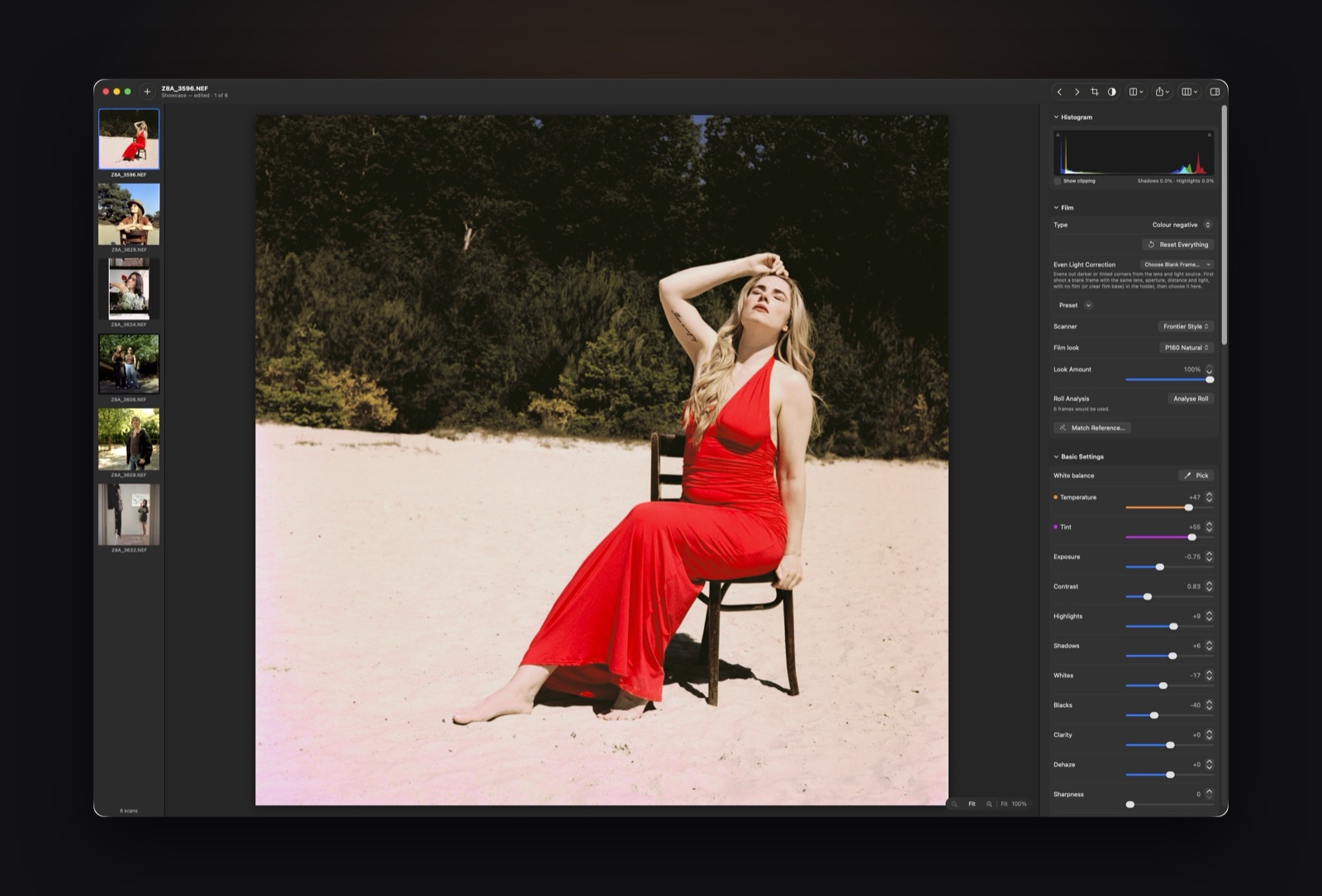
Camera scanning is fast. Converting shouldn’t be the slow part.
You scanned a roll in ten minutes. Then you spend an evening fighting the orange mask, guessing curves and cloning out dust, frame by frame. Negativwerk does the converting the way a lab does, so you can get back to the part you love: choosing the frames and giving them your look.
LAB-STYLE COLOUR
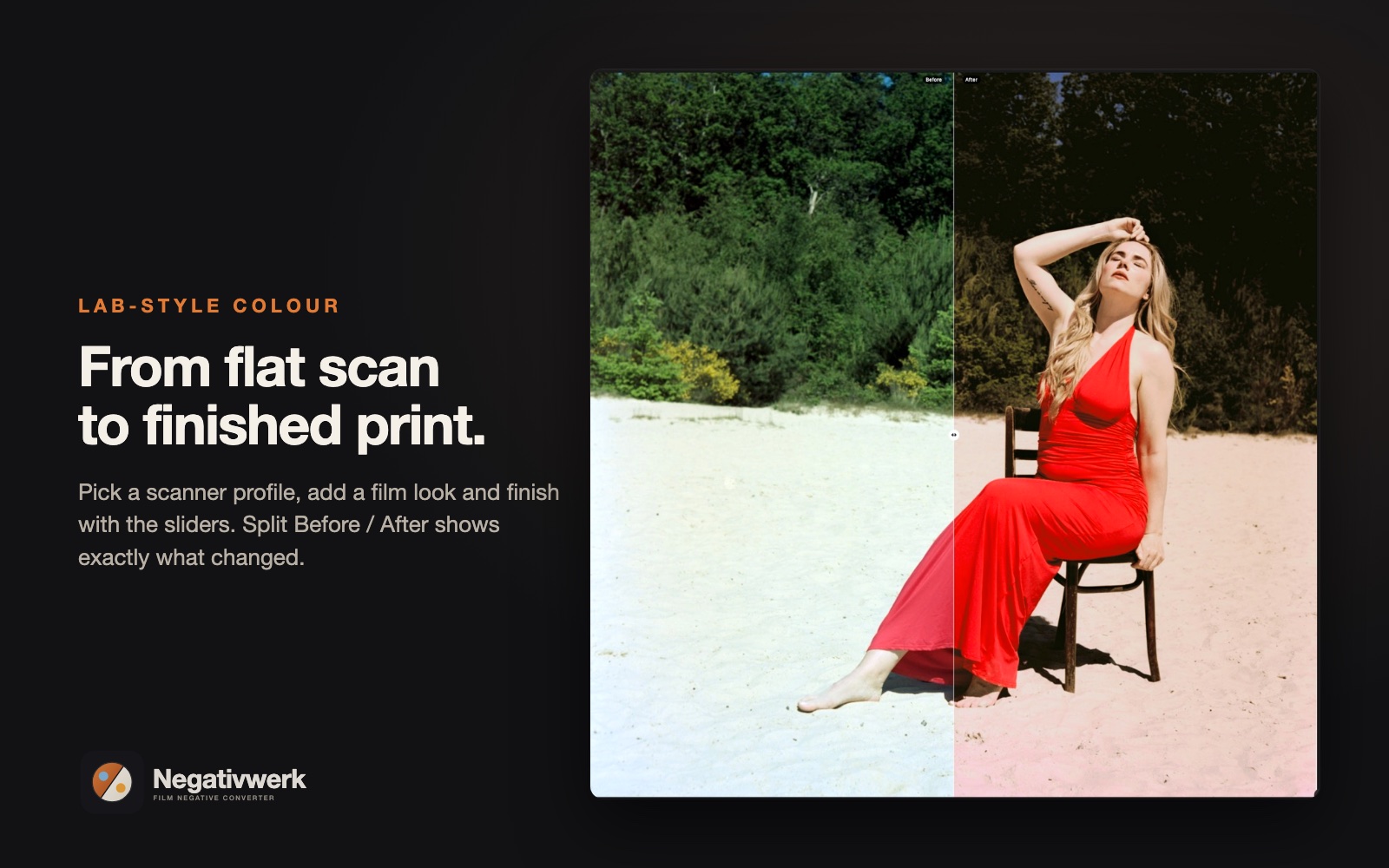
Lab-style colour, in one click
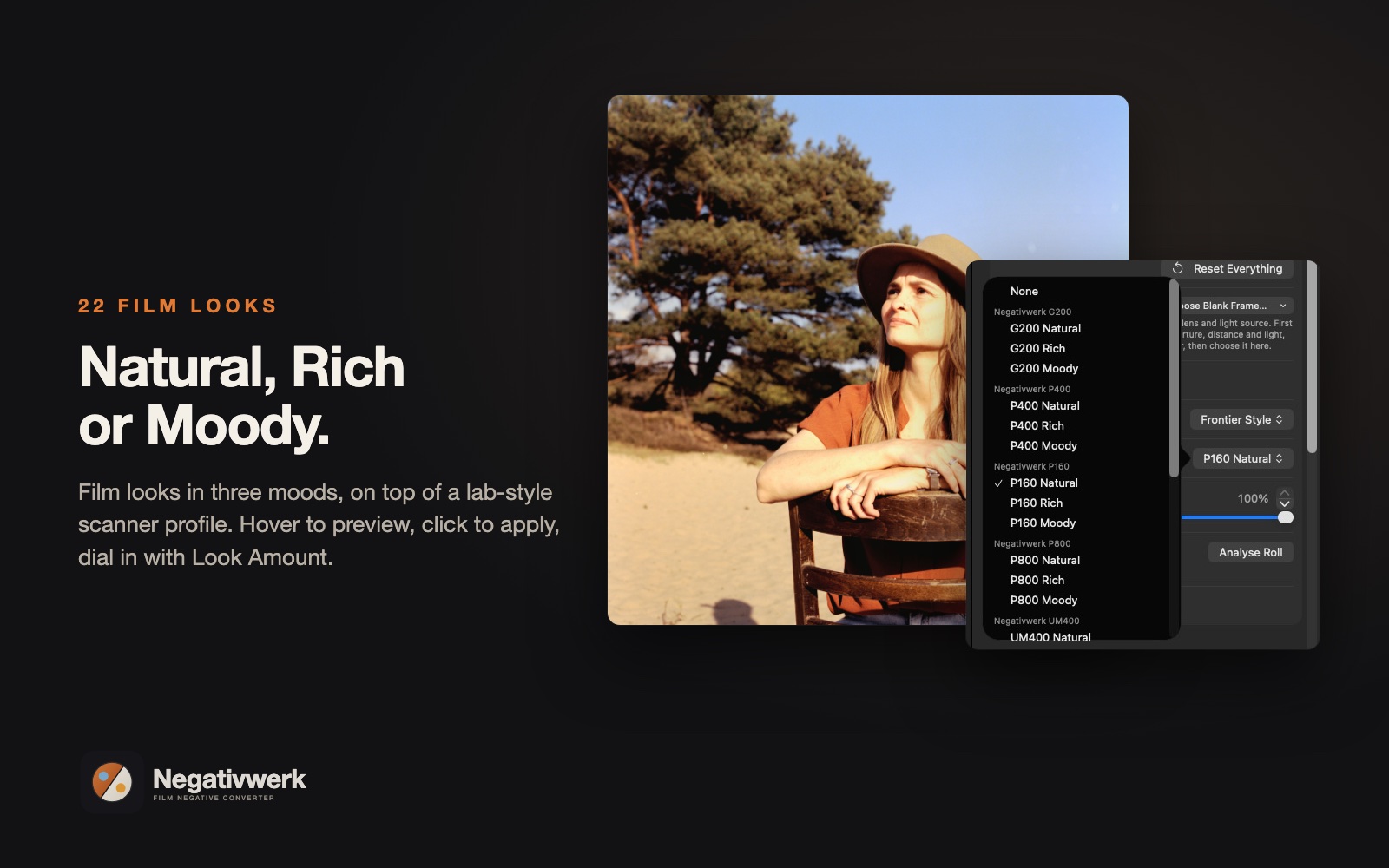
Pick a scanner profile, then layer a film look on top, just like a lab: the scanner first, the technician’s touch after. Choose from 22 film looks in Natural, Rich and Moody variants, and dial them in with a single Look Amount slider.
Got a lab scan or a photo you love? Match Reference brings your scan’s tones and colours close to it automatically.
WHOLE ROLLS
Consistent from the first frame to the last
Roll Analysis reads the whole roll together, so frame 3 and frame 33 belong to the same story. Copy settings across a roll, export in one batch, and come back tomorrow to exactly where you left off: your edits are kept in the scans’ folder, and whole rolls can be saved as a project.
Culling is quick too: browse with the arrow keys, press M to mark a frame, drag to select several, and clear out the misses.
FIND DUST
Dust removal that thinks before it deletes
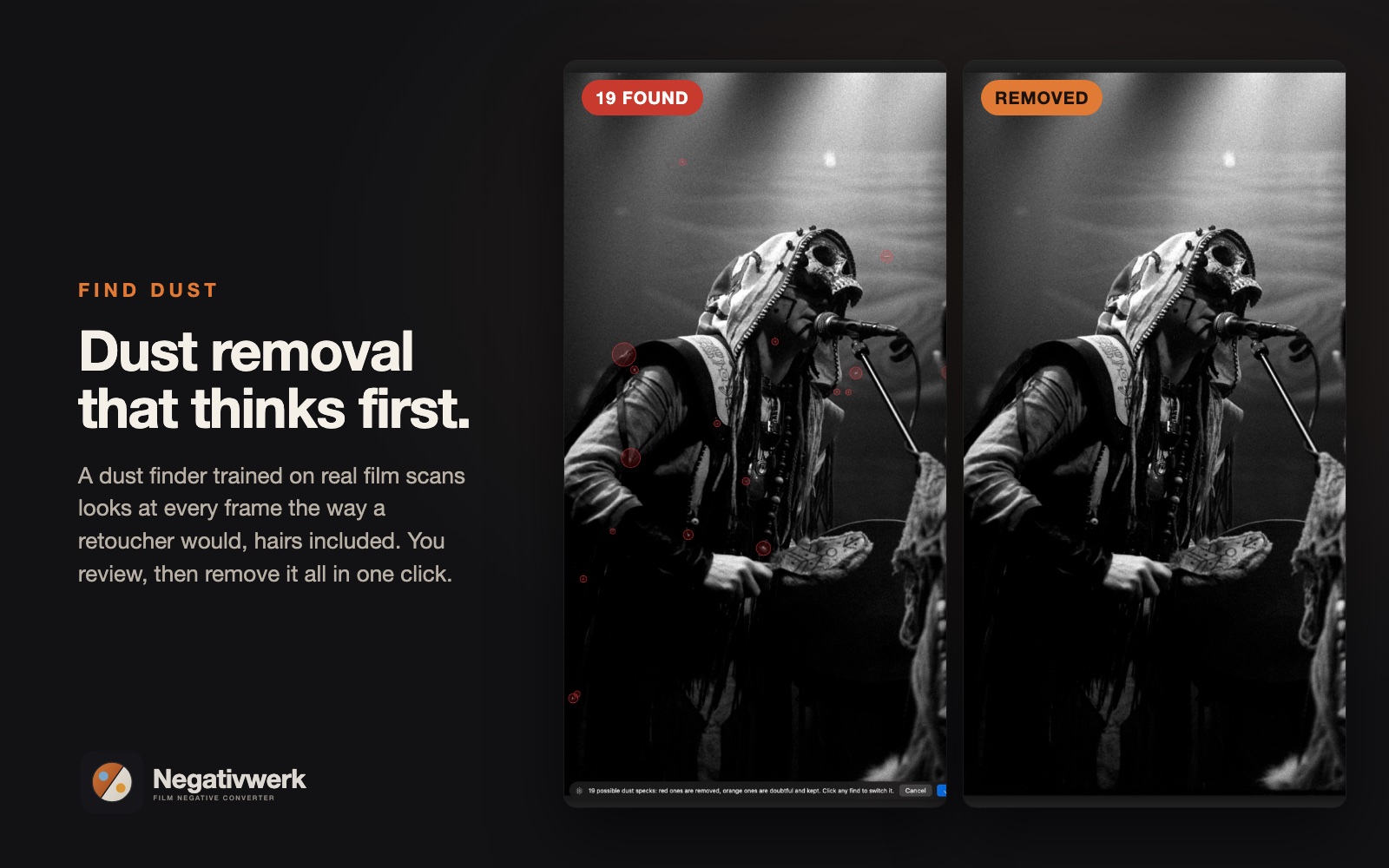
Find Dust uses a dust finder trained on real film scans. It looks at every frame the way a retoucher would, spots specks and hairs, and only then shows you what it found: certain dust in red, doubtful finds in orange. Click any find to change your mind, then remove everything in one go.
Plus Heal, Clone and Fill for everything else, and a review tool to undo any single repair.
DARKROOM TOOLS
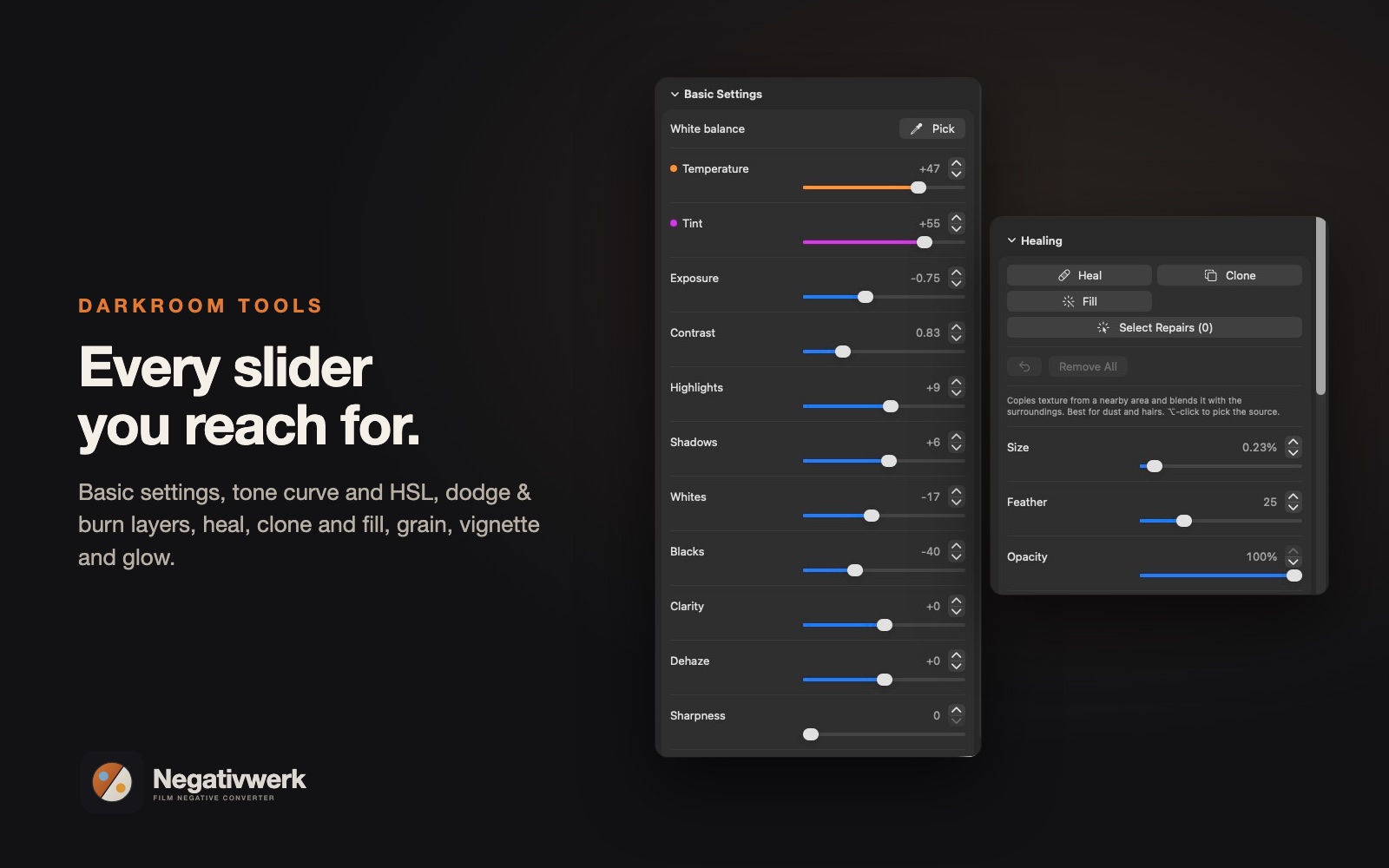
Every tool you’d reach for in the darkroom
- Dodge & Burn layers: brush, linear and radial gradients, each with its own exposure, contrast and colour
- Tone curve and HSL per channel for precise colour work
- Even Light Correction: shoot one blank frame and Negativwerk removes darker or tinted corners from your lens and light source, on every scan
- Black & white done right, including DunkelKamer Mono 1: deep, contrasty darkroom-print tones
- Grain, vignette and glow for a true film finish
- Clean white or black borders for prints and posting
- Red-eye removal for flash photos on colour film
Smooth on any Mac. Full quality on every export.
Choose a Hybrid or Fast preview to keep sliders and browsing fluid, while zooming in always shows full resolution. Export as 16-bit TIFF, 8-bit TIFF or JPEG in sRGB, Display P3, Adobe RGB or ProPhoto RGB, with your own size, sharpening and file names.
Your photos stay yours
Negativwerk works entirely on your Mac. Nothing is uploaded, ever. Anonymous usage statistics and crash reports are off unless you choose to share them, and even then they never include your photos, file names or anything personal. Privacy Policy
NEGATIVWERK 1 FOR MAC
€199 incl. VAT
- One-time purchase, no subscription
- One licence for 2 Macs
- Every feature, no watermark
- Free updates for all 1.x versions
- 14-day refund, no questions asked
Your licence key appears on screen straight after payment. Sold by Paddle, our authorised reseller and merchant of record, who handles payment, VAT and invoices. Pay by card, PayPal, Apple Pay, Google Pay, iDEAL and more. By buying you agree to the Licence Agreement, the Privacy Policy and the Refund Policy.
First time opening Negativwerk
- Open the downloaded file and drag Negativwerk into Applications.
- Double-click Negativwerk. macOS says it can’t verify the app: click Done.
- Open System Settings > Privacy & Security, scroll down and click Open Anyway. Enter your Mac password and click Open.
You only do this once. Negativwerk is made by a small independent studio and isn’t signed through Apple’s paid developer programme yet, so macOS asks you to confirm it yourself.
FAQ
Do I need a film scanner?
No. Negativwerk is built for scanning with a digital camera, a macro lens and a light source. Scans from a flatbed or dedicated film scanner (TIFF or JPEG) work too.
Which film can I convert?
Colour negative, black-and-white negative and slide film, from 35mm to medium format.
Will it change my original files?
Never. Negativwerk only reads your scans. Your edits are kept in one small hidden file in the folder, and exports go to the folder you choose.
Which cameras are supported?
RAW files from most cameras (NEF, CR2, CR3, ARW, RAF, DNG and more), as well as TIFF and JPEG.
What do I need?
A Mac with Apple silicon and macOS 14 Sonoma or later. A Windows version is in development.
How does the licence work?
One purchase of €199 (incl. VAT) gives you one licence key for 2 Macs. Activate once with an internet connection. After that Negativwerk checks your licence about once a week when you’re online, and keeps working for up to 45 days without internet. Moving to a new Mac? Deactivate the old one and activate the new one.
Do I pay for updates?
No. Every update of Negativwerk 1 is free: improvements, fixes and new features in all 1.x versions. If a completely new Negativwerk 2 ever comes, existing buyers get it at a discount.
Can I try it first?
Yes. The free trial lets you convert and edit your own scans, with a watermark on exported photos (1600-pixel JPEG) and some features reserved for the full version. Buy a licence and everything unlocks instantly: no watermark, every feature.
Can I get a refund?
Yes. Within 14 days of your purchase you can ask for a refund, no questions asked. Your licence then stops working and Negativwerk goes back to the trial. See the Refund Policy.
What does Negativwerk know about me?
Very little. Your photos never leave your Mac. Activation sends only your licence key and an anonymous code for your Mac. Usage statistics and crash reports are off unless you switch them on. Read the Privacy Policy.
I lost my licence key.
E-mail alwin@alwinvanwijngaarden.com with the order number from your Paddle receipt and we’ll send it again.
Give your negatives the finish they deserve.
Film and product names are trademarks of their respective owners, who do not endorse or sponsor Negativwerk. The film looks and scanner profiles are Negativwerk’s own interpretations.